

Back to blog
Filter by:
Tags
- Knowledge
- technology
- OOP
- Tips
- Programming
- Tips
- Tutorial
- SEO
- Ranking
- Knowledge
- Special Day
- Seo
- Bug
- Data science
- Seo
- artificial intelligence
- Machine Learning
- Robotics
- happyNewYear2021
- newYearEve
- 2021
- Automation
- Smart Home
- Career
- Best Practices
- Git
- Logging
- Web Fundamentals
- DNS
- HTTPS
- Performance
- AI Tools
- ChatGPT
- Claude
- Gemini
- Laravel
- Eloquent
- MySQL
- HTTPS
- TLS
- Web Security
- Certificates
- Developer Life
- Debugging
- Docker
- DevOps
- Transactions
- Queues
- LLMs
- AI
- AI Coding
- Developer Tools
- React Native
- Expo
- Kate PMS
- Mobile Apps
- Laravel
- Authentication
- Sanctum
- Cookies
- API Design
- Payments
- Idempotency
- DeepSeek
- Open Source AI
- LLMs
- AI News
- Git
- Version Control
- AI Coding
- Prompting
- PHP
- Checklist
- MCP
- AI Agents
- OpenAI
- Architecture
- Microservices
- Modular Monolith
- Estimation
- Developer Life
- Project Planning
- Humour
- OAuth
- OpenID Connect
- Authentication
- Embeddings
- Vector Search
- RAG
- pgvector
- OpenAI
- GPT-4.1
- Codex CLI
- Events
- Testing
- Clean Code
- Maintainability
- Code Review
- Webhooks
- API
- Security
- Claude Code
- Workflow
- AI
- LLM
- Prompt Injection
- Mobile
- React
- Networking
- TCP
- UDP
- HTTP/3
- CLAUDE.md
- AWS
- Cloud Security
- Backups
- PHPUnit
- Software Engineering
- Leadership
- Communication
- RAG
- Embeddings
- AI Engineering
- IT Infrastructure
- Networking
- Access Control
- CI/CD
- GitHub Actions
- Gemini CLI
- Claude Code
- JavaScript
- Async/Await
- Node.js
- Promises
- Security
- Cryptography
- Passwords
- MySQL
- Database
- Vibe Coding
- Software Quality
- DNS
- Code Reading
- Onboarding
- Productivity
- Background Jobs
- Developer Humour
- Estimates
- Dev Life
- JWT
- o3-mini
- DeepSeek R1
- Rate Limiting
- Kate PMS
- E-Signing
- Audit Trail
- REST
- GraphQL
- API Design
- Laravel 12
- Upgrade Guide
- Open Source
- Self-Hosting
- Task Scheduling
- Cron
- Secrets
- CORS
- PHP
- PHP-FPM
- OPcache
- GitHub Copilot
- Software Architecture
- Engineering
- TypeScript
- JavaScript
- Type Safety
- AI Security
- React Native
- Product Design
- AI Agents
- Kiro
- Queues
- Redis
- RabbitMQ
- AWS SQS
- Nginx
- Apache
- GPT-5
- gpt-oss
- Clean Code
- Architecture
- Naming
- Documentation
- Career
- ADR
- Teamwork
- Supply Chain
- Kate HRM
- HR Software
- Permissions
- System Design
- Pagination
- SSH
- Linux
- Big O
- Databases
- Laravel Boost
- MCP
- Developer Skills
- Validation
- Databases
- Indexes
- Code Quality
- Deployment
- Developer Humour
- Feature Flags
- Code Review
- Pull Requests
- Docker
- Cursor
- Authorization
- RBAC
- Gemini
- Long Context
- PHP 8.4
- Caching
- Dependency Injection
- Web Performance
- Browser
- CSS
- Database
- Migrations
- ChatGPT
- AI for Developers
- Monitoring
- On-Call
- REST
- Backend
- SQL
- NoSQL
- Database Design
- Coding Agents
- Claude 4
- API Resources
- REST API
- Load Balancing
- Scaling
- AWS
- AI Tools
- Claude
- Sora 2
- CTE
- 2FA
- TOTP
- Programming Languages
- Prompts
- Developer Workflow
- API Gateway
- APIs
- Passport
- API Auth
- Learning
- Burnout
- Developer Growth
- Web Development
- SEO
- Kate Mall
- ChatGPT Atlas
- Agent Skills
- Middleware
- Laravel 12
- Collections
- Context Window
- Monitoring
- Commit Messages
- Self Review
- Growth
- Regex
- Programming Basics
- Text Processing
- Database Design
- Normalization
- Linux
- Server Security
- Linux Foundation
- Open Standards
- Legacy Code
- Documentation
- AI Workflow
- File Uploads
- Test Data
- Hashing
- Performance
- Caching
- Enums
- Scope Creep
- Estimation
- Codex
- Gemini CLI
- Timezones
- Carbon
- Bugs
- PHP 8.5
- Gemini 3
- GPT-5.1
- Data Integrity
- Event Loop
- Async
- Opus 4.5
- AI Models
- React
- Forms
- Frontend
- Backups
- AI Images
- DALL-E
- Midjourney
- Race Conditions
- Concurrency
- Legacy Code
- Refactoring
- Senior Engineer
- Scope
- LLM
- CDN
- Web
- Sub-Agents
- Soft Deletes
- Audit Log
- Concurrency
- AI Learning
- NestJS
- AI Evals
- Policies
- SPF DKIM DMARC
- Unicode
- UTF-8
- Knowledge Graph
- Value Objects
- Technical Debt
- Feature Flags
- Laravel Pennant
- Deployment
- Copilot
- Composer
- Dependencies
- Artisan
- Automation
- AWS S3
- Object Storage
- Cloud
- Small Language Models
- Ollama
- Production
- Sessions
- HTTP
- Mentoring
- SQL
- Virtual Machines
- Web Development
- HTTP/2
- QUIC
- Web Performance
- AI Integration
- LLM API
- SOLID
- OOP
- Hosting
- Serverless
- Merge Conflicts
- Temperature
- AI Development
- Reverse Proxy
- Nginx
- Infrastructure
- Verification
- Passkeys
- WebAuthn
- Teams
- Communication
- Stakeholders
- Monorepo
- CI/CD
- Versioning
- JSON Schema
- Livewire
- Inertia
- Meetings
- Distributed Systems
- Privacy
- Full-Stack
- T-Shaped Skills
- Money
- Notifications
- Web Security
- HTTP Headers
- CSP
- Function Calling
- Load Testing
- k6
- Data Extraction
- Debugging
- WebSockets
- SSE
- Real-Time
- Laravel Reverb
- Infrastructure as Code
- Terraform
- Side Projects
- Laravel Pint
- OpenAPI
- Swagger
- UX
- Multimodal
- Jest
- Pair Programming
- APIs
- Rate Limiting
- Resilience
- Dev Humour
- Design Tokens
- JWT
- API Keys
- Sessions
- PHPStan
- Rector
- Incidents
- Reporting
- Dashboards
- Zero Trust
- IAM
- Search
- Laravel Scout
- Junior Developers
- Mentoring
- Images
- WebP
- AVIF
- Bug Reports
- Let's Encrypt
- Design Docs
- Software Design
- Observers
- Replication
- Accountability
- Data Structures
- Reliability
- LLM Memory
- Error Handling
- Payments
- Payment Gateway
- Webhooks
- PCI DSS
- Observability
- OpenTelemetry
- Personal Brand
- Writing
- Conventions
- Dates
- Scheduling
- Disaster Recovery
- Compression
- Brotli
- Deadlines
- Developer Habits
- State Machines
- Tech Roles
- UUID
- ULID
- Horizon
- Planning
- Engineering Culture
- Ownership
- Soft Skills
- Socialite
- Cost Control
- Collations
- Unicode
- Octane
- PostgreSQL
Categories
//Article title
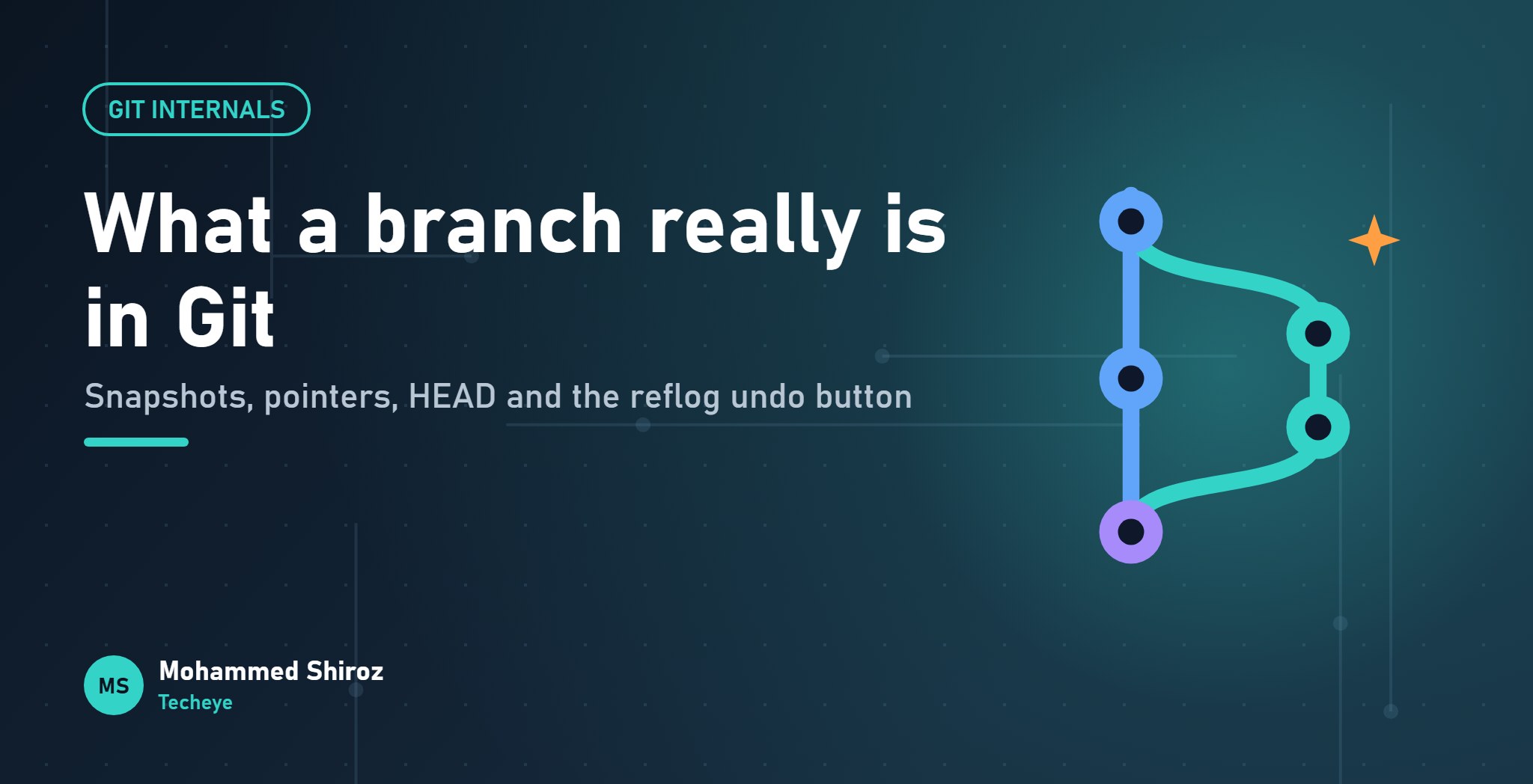
Git Under the Hood: Commits, Branches and HEAD Explained
About Post
Most of us learned Git as a list of spells. add, commit, push. When something goes wrong, we search for a different spell, paste it, and hope. And when the terminal says "You are in 'detached HEAD' state", it sounds less like a status message and more like a diagnosis.
The secret is that Git's core model is small. Three or four ideas explain almost everything, including the scary messages. Once you see them, rebase stops being magic and the reflog becomes your undo button for nearly any mistake.
Let's go myth by myth.
Myth: a commit stores the changes you made
Reality: a commit is a snapshot of the whole project.
It feels like a commit is a diff, because that's what git show displays. But Git computes that diff on the fly by comparing two snapshots. What it actually stores for each commit is a pointer to a complete picture of your files at that moment.
You can look inside a commit yourself:
$ git cat-file -p HEAD
tree 9c4e1f...
parent 5a7d2b...
author Mohammed Shiroz ...
committer Mohammed Shiroz ...

Add idempotency middleware to payments
A commit is a small text object: a tree (the snapshot of the folder structure), its parent commit, author information and the message. The tree points to blobs, which hold file contents.
Isn't storing full snapshots wasteful? No, because every object is named by a hash of its content. If README.md didn't change between two commits, both trees point to the exact same blob. Only changed files produce new objects. (Git also compresses objects into pack files behind the scenes, but that's a storage detail. The model is snapshots.)
Myth: a branch is a copy of the code
Reality: a branch is a sticky note with a commit hash on it.
That's genuinely all it is. A branch is a tiny file in .git/refs/heads/ that contains one commit hash:
$ cat .git/refs/heads/main
e83c5163316f89bfbde7d9ab23ca2e25604af290
(In some repositories, refs get packed into .git/packed-refs instead, but the idea is the same.)
That's why creating a branch is instant, even in a huge repository. Nothing is copied. Git just writes a new sticky note pointing at the current commit. When you commit on a branch, Git creates the new commit and moves that branch's note forward to point at it.
The history itself isn't stored "in" the branch at all. It's the chain of parent pointers between commits. A branch just marks where one particular line of work currently ends.
Myth: HEAD is the latest commit
Reality: HEAD is "you are here".
HEAD tells Git what you currently have checked out. Normally, it doesn't point to a commit directly. It points to a branch:
$ cat .git/HEAD
ref: refs/heads/main
So the chain is: HEAD → main → a commit. When you commit, the branch moves forward, and HEAD comes along because it points to the branch.
So what is "detached HEAD"?
Detached HEAD just means HEAD points directly at a commit instead of at a branch. It happens when you check out a specific commit hash or a tag, or in the middle of some rebases.
Nothing is broken. You can look around, run the code, even commit. The catch: new commits made here don't belong to any branch. There's no sticky note marking them. If you switch away, they become hard to find, and Git will eventually clean up unreachable commits.
The fix is to give them a sticky note before you leave:
git switch -c fix-from-old-releaseRemember: commits that no branch or tag points to are not deleted immediately, but they are invisible. Naming them with a branch is what makes them safe.
Why rebase "rewrites history"
Here's the piece that ties it all together. A commit's hash is calculated from its content, and that content includes the parent's hash.
So when you rebase your feature branch onto a newer main, Git can't just move your commits. Their parent changes, which means their content changes, which means their hash changes. Rebase actually creates brand-new commits with the same changes and messages, then moves your branch's sticky note to the new ones.
The old commits still exist, quietly, with nothing pointing at them.
This explains the golden rule: don't rebase commits other people have already pulled. They still have the old commits. Your branch now has different ones. Git sees two unrelated histories, and the next merge gets messy. If you do need to push a rebased branch you own, use git push --force-with-lease, which refuses to overwrite work you haven't seen.
The reflog: Git's undo history
Remember those old commits with nothing pointing at them? Git keeps a private diary of where HEAD and your branches have pointed recently. That's the reflog.
$ git reflog
a1b2c3d HEAD@{0}: rebase (finish): returning to refs/heads/feature
f4e5d6c HEAD@{1}: rebase (pick): Add payment retry
9a8b7c6 HEAD@{2}: commit: Add payment retry
...
Botched a rebase? Ran git reset --hard on the wrong branch? Find the entry from before the mistake and point a branch back at it:
# Look at the state before the rebase
git log --oneline 9a8b7c6

# Put the branch back there
git reset --hard 9a8b7c6

# Or keep both and rescue it on a new branch
git branch rescued-work 9a8b7c6
A few things to know about the reflog:
- It's local. It's not pushed, and a fresh clone has an empty one.
- Entries expire eventually, so it's a safety net for recent mistakes, not an archive.
- It can't recover changes that were never committed. Uncommitted work wiped by
reset --hardis gone. One more reason to commit often, even on a messy local branch.
The whole model on a napkin
- Commit = snapshot + parent + message, named by a hash of all that.
- Branch = a movable sticky note pointing at a commit.
- HEAD = "you are here", usually pointing at a branch.
- Detached HEAD = you're on a commit with no sticky note.
- Rebase = make new commits, move the note, leave the old ones behind.
- Reflog = the diary of where the notes used to be.
If you want to go further, the Git Internals chapter of Pro Git is free and surprisingly readable.
What's the Git mistake that taught you the most? Bonus points if the reflog saved you from it.
01. About Shiroz

Mohammed Shiroz
Hi, I'm Mohammed Shiroz, a software engineer and AI enthusiast from Sri Lanka who turns ideas into intelligent, real-world solutions. With over 9 years of hands-on experience, I currently lead real estate ERP development at Kate Group, a...
02. Latest Posts


03.My Projects






 Palestine
 Brazil
 United States
 Hong Kong SAR China
 Togo
Togo
 Germany
 Iraq
Iraq
 Bulgaria
 China
China
Be first to comment it...