

Back to blog
Filter by:
Tags
- Knowledge
- technology
- OOP
- Tips
- Programming
- Tips
- Tutorial
- SEO
- Ranking
- Knowledge
- Special Day
- Seo
- Bug
- Data science
- Seo
- artificial intelligence
- Machine Learning
- Robotics
- happyNewYear2021
- newYearEve
- 2021
- Automation
- Smart Home
- Career
- Best Practices
- Git
- Logging
- Web Fundamentals
- DNS
- HTTPS
- Performance
- AI Tools
- ChatGPT
- Claude
- Gemini
- Laravel
- Eloquent
- MySQL
- HTTPS
- TLS
- Web Security
- Certificates
- Developer Life
- Debugging
- Docker
- DevOps
- Transactions
- Queues
- LLMs
- AI
- AI Coding
- Developer Tools
- React Native
- Expo
- Kate PMS
- Mobile Apps
- Laravel
- Authentication
- Sanctum
- Cookies
- API Design
- Payments
- Idempotency
- DeepSeek
- Open Source AI
- LLMs
- AI News
- Git
- Version Control
- AI Coding
- Prompting
- PHP
- Checklist
- MCP
- AI Agents
- OpenAI
- Architecture
- Microservices
- Modular Monolith
- Estimation
- Developer Life
- Project Planning
- Humour
- OAuth
- OpenID Connect
- Authentication
- Embeddings
- Vector Search
- RAG
- pgvector
- OpenAI
- GPT-4.1
- Codex CLI
- Events
- Testing
- Clean Code
- Maintainability
- Code Review
- Webhooks
- API
- Security
- Claude Code
- Workflow
- AI
- LLM
- Prompt Injection
- Mobile
- React
- Networking
- TCP
- UDP
- HTTP/3
- CLAUDE.md
- AWS
- Cloud Security
- Backups
- PHPUnit
- Software Engineering
- Leadership
- Communication
- RAG
- Embeddings
- AI Engineering
- IT Infrastructure
- Networking
- Access Control
- CI/CD
- GitHub Actions
- Gemini CLI
- Claude Code
- JavaScript
- Async/Await
- Node.js
- Promises
- Security
- Cryptography
- Passwords
- MySQL
- Database
- Vibe Coding
- Software Quality
- DNS
- Code Reading
- Onboarding
- Productivity
- Background Jobs
- Developer Humour
- Estimates
- Dev Life
- JWT
- o3-mini
- DeepSeek R1
- Rate Limiting
- Kate PMS
- E-Signing
- Audit Trail
- REST
- GraphQL
- API Design
- Laravel 12
- Upgrade Guide
- Open Source
- Self-Hosting
- Task Scheduling
- Cron
- Secrets
- CORS
- PHP
- PHP-FPM
- OPcache
- GitHub Copilot
- Software Architecture
- Engineering
- TypeScript
- JavaScript
- Type Safety
- AI Security
- React Native
- Product Design
- AI Agents
- Kiro
- Queues
- Redis
- RabbitMQ
- AWS SQS
- Nginx
- Apache
- GPT-5
- gpt-oss
- Clean Code
- Architecture
- Naming
- Documentation
- Career
- ADR
- Teamwork
- Supply Chain
- Kate HRM
- HR Software
- Permissions
- System Design
- Pagination
- SSH
- Linux
- Big O
- Databases
- Laravel Boost
- MCP
- Developer Skills
- Validation
- Databases
- Indexes
- Code Quality
- Deployment
- Developer Humour
- Feature Flags
- Code Review
- Pull Requests
- Docker
- Cursor
- Authorization
- RBAC
- Gemini
- Long Context
- PHP 8.4
- Caching
- Dependency Injection
- Web Performance
- Browser
- CSS
- Database
- Migrations
- ChatGPT
- AI for Developers
- Monitoring
- On-Call
- REST
- Backend
- SQL
- NoSQL
- Database Design
- Coding Agents
- Claude 4
- API Resources
- REST API
- Load Balancing
- Scaling
- AWS
- AI Tools
- Claude
- Sora 2
- CTE
- 2FA
- TOTP
- Programming Languages
- Prompts
- Developer Workflow
- API Gateway
- APIs
- Passport
- API Auth
- Learning
- Burnout
- Developer Growth
- Web Development
- SEO
- Kate Mall
- ChatGPT Atlas
- Agent Skills
- Middleware
- Laravel 12
- Collections
- Context Window
- Monitoring
- Commit Messages
- Self Review
- Growth
- Regex
- Programming Basics
- Text Processing
- Database Design
- Normalization
- Linux
- Server Security
- Linux Foundation
- Open Standards
- Legacy Code
- Documentation
- AI Workflow
- File Uploads
- Test Data
- Hashing
- Performance
- Caching
- Enums
- Scope Creep
- Estimation
- Codex
- Gemini CLI
- Timezones
- Carbon
- Bugs
- PHP 8.5
- Gemini 3
- GPT-5.1
- Data Integrity
- Event Loop
- Async
- Opus 4.5
- AI Models
- React
- Forms
- Frontend
- Backups
- AI Images
- DALL-E
- Midjourney
- Race Conditions
- Concurrency
- Legacy Code
- Refactoring
- Senior Engineer
- Scope
- LLM
- CDN
- Web
- Sub-Agents
- Soft Deletes
- Audit Log
- Concurrency
- AI Learning
- NestJS
- AI Evals
- Policies
- SPF DKIM DMARC
- Unicode
- UTF-8
- Knowledge Graph
- Value Objects
- Technical Debt
- Feature Flags
- Laravel Pennant
- Deployment
- Copilot
- Composer
- Dependencies
- Artisan
- Automation
- AWS S3
- Object Storage
- Cloud
- Small Language Models
- Ollama
- Production
- Sessions
- HTTP
- Mentoring
- SQL
- Virtual Machines
- Web Development
- HTTP/2
- QUIC
- Web Performance
- AI Integration
- LLM API
- SOLID
- OOP
- Hosting
- Serverless
- Merge Conflicts
- Temperature
- AI Development
- Reverse Proxy
- Nginx
- Infrastructure
- Verification
- Passkeys
- WebAuthn
- Teams
- Communication
- Stakeholders
- Monorepo
- CI/CD
- Versioning
- JSON Schema
- Livewire
- Inertia
- Meetings
- Distributed Systems
- Privacy
- Full-Stack
- T-Shaped Skills
- Money
- Notifications
- Web Security
- HTTP Headers
- CSP
- Function Calling
- Load Testing
- k6
- Data Extraction
- Debugging
- WebSockets
- SSE
- Real-Time
- Laravel Reverb
- Infrastructure as Code
- Terraform
- Side Projects
- Laravel Pint
- OpenAPI
- Swagger
- UX
- Multimodal
- Jest
- Pair Programming
- APIs
- Rate Limiting
- Resilience
- Dev Humour
- Design Tokens
- JWT
- API Keys
- Sessions
- PHPStan
- Rector
- Incidents
- Reporting
- Dashboards
- Zero Trust
- IAM
- Search
- Laravel Scout
- Junior Developers
- Mentoring
- Images
- WebP
- AVIF
- Bug Reports
- Let's Encrypt
- Design Docs
- Software Design
- Observers
- Replication
- Accountability
- Data Structures
- Reliability
- LLM Memory
- Error Handling
- Payments
- Payment Gateway
- Webhooks
- PCI DSS
- Observability
- OpenTelemetry
- Personal Brand
- Writing
- Conventions
- Dates
- Scheduling
- Disaster Recovery
- Compression
- Brotli
- Deadlines
- Developer Habits
- State Machines
- Tech Roles
- UUID
- ULID
- Horizon
- Planning
- Engineering Culture
- Ownership
- Soft Skills
- Socialite
- Cost Control
- Collations
- Unicode
- Octane
- PostgreSQL
Categories
//Article title
Handling Money in Code: Integers, Decimals and Rounding Done Right
About Post
Open a PHP shell and type this:
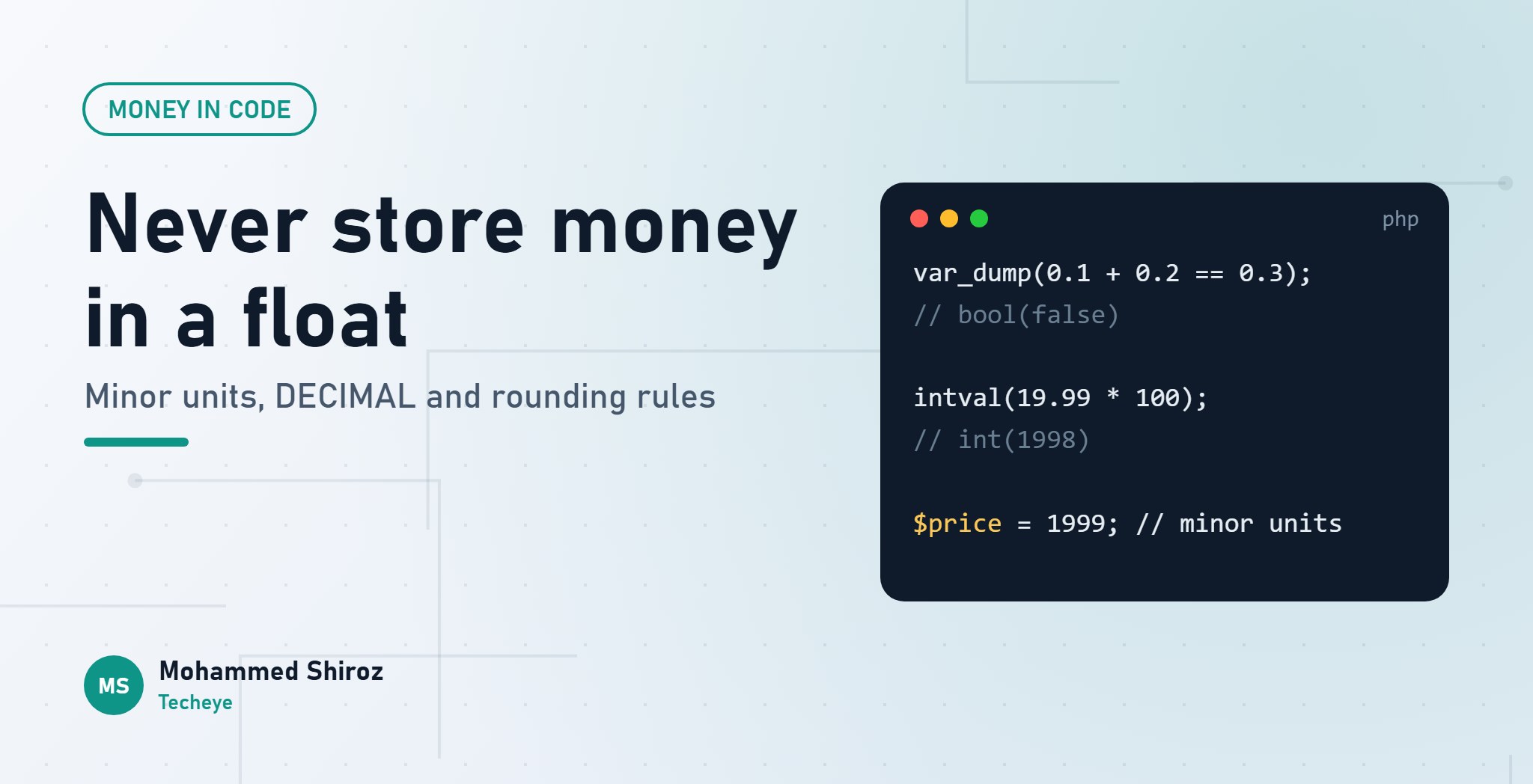
intval(19.99 * 100); // int(1998)Not 1999. 1998. One cent has quietly disappeared, and nothing warned you. Run that on every line of an invoice, a rent schedule or a payroll export, and eventually the totals don't match the bank, and someone in finance asks you a question you can't answer.
Money looks like the simplest data type there is: a number with two decimals. It isn't. Here are the mistakes I see most often, why they happen, and what to do instead.
Mistake 1: using floats
Why it breaks: floats are stored in binary, and most decimal fractions can't be represented exactly in binary. Just like 1/3 becomes 0.3333... in decimal, 0.1 becomes an endlessly repeating fraction in binary. The computer stores the nearest value it can, which is almost 0.1.
Usually you don't see it, because printing rounds it for you. Then you do arithmetic, compare or truncate, and the "almost" leaks out:
0.1 + 0.2;            // 0.30000000000000004
0.1 + 0.2 === 0.3;    // false
(1.005).toFixed(2);   // "1.00", not "1.01"
This isn't a PHP or JavaScript bug. It's how IEEE 754 floating point works in almost every language. Floats are perfect for physics and graphics, where tiny errors don't matter. In money, every tiny error is somebody's cent.
The fix: store and calculate money in integer minor units. QAR 19.99 becomes 1999 dirhams. USD 19.99 becomes 1999 cents. Integers are exact, addition is exact, and comparisons just work. You only turn it back into "19.99" at the very edge, when you display it.
Mistake 2: assuming every currency has two decimals
Why it breaks: the "multiply by 100" habit works until you meet a currency that doesn't have cents. Under the ISO 4217 standard, the Japanese yen has zero decimal places, while the Kuwaiti dinar and Bahraini dinar have three. Hard-code 100 and you're off by a factor of ten.
The fix: an amount without a currency is not money, it's a number. Keep them together, and look up the minor unit per currency:
final readonly class Money
{
    private const MINOR_UNITS = ['QAR' => 2, 'USD' => 2, 'KWD' => 3, 'JPY' => 0];

    public function __construct(public int $amount, public string $currency) {}

    public function add(Money $other): Money
    {
        if ($other->currency !== $this->currency) {
            throw new InvalidArgumentException('Currency mismatch.');
        }
        return new Money($this->amount + $other->amount, $this->currency);
    }

    public function format(): string
    {
        $digits = self::MINOR_UNITS[$this->currency];
        return $this->currency.' '.number_format($this->amount / 10 ** $digits, $digits);
    }
}
This is deliberately simplified. For real projects, a well-tested library like brick/money or moneyphp/money handles currencies, allocation and rounding properly. The point is the shape: integer amount, currency attached, no way to add QAR to USD by accident.
Mistake 3: FLOAT columns in the database
Why it breaks: MySQL's FLOAT and DOUBLE types have exactly the same problem as floats in code. SUM() over thousands of rows can drift away from the real total.
The fix: two good options.
BIGINTin minor units, matching your code. Simple and exact, but every human reading the table has to remember that 1999 means 19.99.DECIMAL(15,2)(or more decimals if you store rates or intermediate values). Exact decimal arithmetic in the database, readable in any SQL client.
If you use DECIMAL with Laravel, the decimal:2 cast gives you the value as a string, like "19.99". That's on purpose: converting it to a float would bring the problem straight back. Convert it to minor units or a money object before doing arithmetic.
The same thinking applies to APIs: send amounts as integers in minor units, or as strings. A float in JSON is a float in the mobile app.
Mistake 4: rounding without a rule
Why it breaks: the moment you calculate a percentage (VAT, a discount, a late fee, a commission), you get fractions of a minor unit and have to round. If you don't decide how, you get whatever your language does by default, at whatever step the code happens to round.
Two questions need an explicit answer:
- Which rounding mode? PHP's
round()rounds halves away from zero by default, so 2.5 becomes 3. Banking and some accounting rules prefer "half to even" (banker's rounding), where 2.5 becomes 2 and 3.5 becomes 4, which avoids a slow upward bias across many transactions. Since PHP 8.4, you can say which one you want with theRoundingModeenum, for exampleround($value, 0, RoundingMode::HalfEven). - When do you round? Per line, or on the total? Rounding VAT on each invoice line and summing can give a different answer from rounding the VAT on the subtotal. Neither is wrong. Being inconsistent is.
You can avoid floats completely for percentages by expressing rates in basis points (1% = 100) and rounding with integer maths:
// 5% VAT on 1999 minor units, rounded half up (positive amounts only)
function percentOf(int $amount, int $basisPoints): int
{
    return intdiv($amount * $basisPoints + 5000, 10000);
}

percentOf(1999, 500); // 100  (99.95 rounded up)
Write the rounding rule down. "VAT is calculated per line, rounded half up to the minor unit" is a business decision, not a coding detail. Agree it with finance once, then put it in one function that every calculation uses.
Mistake 5: splitting amounts and losing the remainder
Why it breaks: split 100.00 into three instalments and you get 33.33 three times. That's 99.99. The missing 0.01 has to go somewhere, or the instalments won't add up to the contract amount.
The fix: allocate in minor units and hand out the remainder explicitly:
function allocate(int $total, int $parts): array
{
    $base = intdiv($total, $parts);
    $remainder = $total % $parts;

    return array_map(
        fn (int $i) => $base + ($i < $remainder ? 1 : 0),
        range(0, $parts - 1),
    );
}

allocate(10000, 3); // [3334, 3333, 3333]
The total always matches. Which instalment gets the extra unit (first, last, largest) is, again, a business rule worth agreeing on.
The money checklist
- No floats for money. Not in code, not in the database, not in JSON.
- Integer minor units in code,
BIGINTorDECIMALin the database. - Every amount carries its currency, and the minor unit comes from the currency.
- One documented rounding rule: which mode, and at which step.
- Splits allocate the remainder so totals always match.
- Convert to "19.99" only for display.
What's the strangest money bug you've had to track down: a float, a rounding rule, or a currency with the "wrong" number of decimals?
01. About Shiroz

Mohammed Shiroz
Hi, I'm Mohammed Shiroz, a software engineer and AI enthusiast from Sri Lanka who turns ideas into intelligent, real-world solutions. With over 9 years of hands-on experience, I currently lead real estate ERP development at Kate Group, a...
02. Latest Posts


03.My Projects






 United States
 Sri Lanka
 Sweden
 United States
 Sri Lanka
 Russia
Be first to comment it...