

Back to blog
Filter by:
Tags
- Knowledge
- technology
- OOP
- Tips
- Programming
- Tips
- Tutorial
- SEO
- Ranking
- Knowledge
- Special Day
- Seo
- Bug
- Data science
- Seo
- artificial intelligence
- Machine Learning
- Robotics
- happyNewYear2021
- newYearEve
- 2021
- Automation
- Smart Home
- Career
- Best Practices
- Git
- Logging
- Web Fundamentals
- DNS
- HTTPS
- Performance
- AI Tools
- ChatGPT
- Claude
- Gemini
- Laravel
- Eloquent
- MySQL
- HTTPS
- TLS
- Web Security
- Certificates
- Developer Life
- Debugging
- Docker
- DevOps
- Transactions
- Queues
- LLMs
- AI
- AI Coding
- Developer Tools
- React Native
- Expo
- Kate PMS
- Mobile Apps
- Laravel
- Authentication
- Sanctum
- Cookies
- API Design
- Payments
- Idempotency
- DeepSeek
- Open Source AI
- LLMs
- AI News
- Git
- Version Control
- AI Coding
- Prompting
- PHP
- Checklist
- MCP
- AI Agents
- OpenAI
- Architecture
- Microservices
- Modular Monolith
- Estimation
- Developer Life
- Project Planning
- Humour
- OAuth
- OpenID Connect
- Authentication
- Embeddings
- Vector Search
- RAG
- pgvector
- OpenAI
- GPT-4.1
- Codex CLI
- Events
- Testing
- Clean Code
- Maintainability
- Code Review
- Webhooks
- API
- Security
- Claude Code
- Workflow
- AI
- LLM
- Prompt Injection
- Mobile
- React
- Networking
- TCP
- UDP
- HTTP/3
- CLAUDE.md
- AWS
- Cloud Security
- Backups
- PHPUnit
- Software Engineering
- Leadership
- Communication
- RAG
- Embeddings
- AI Engineering
- IT Infrastructure
- Networking
- Access Control
- CI/CD
- GitHub Actions
- Gemini CLI
- Claude Code
- JavaScript
- Async/Await
- Node.js
- Promises
- Security
- Cryptography
- Passwords
- MySQL
- Database
- Vibe Coding
- Software Quality
- DNS
- Code Reading
- Onboarding
- Productivity
- Background Jobs
- Developer Humour
- Estimates
- Dev Life
- JWT
- o3-mini
- DeepSeek R1
- Rate Limiting
- Kate PMS
- E-Signing
- Audit Trail
- REST
- GraphQL
- API Design
- Laravel 12
- Upgrade Guide
- Open Source
- Self-Hosting
- Task Scheduling
- Cron
- Secrets
- CORS
- PHP
- PHP-FPM
- OPcache
- GitHub Copilot
- Software Architecture
- Engineering
- TypeScript
- JavaScript
- Type Safety
- AI Security
- React Native
- Product Design
- AI Agents
- Kiro
- Queues
- Redis
- RabbitMQ
- AWS SQS
- Nginx
- Apache
- GPT-5
- gpt-oss
- Clean Code
- Architecture
- Naming
- Documentation
- Career
- ADR
- Teamwork
- Supply Chain
- Kate HRM
- HR Software
- Permissions
- System Design
- Pagination
- SSH
- Linux
- Big O
- Databases
- Laravel Boost
- MCP
- Developer Skills
- Validation
- Databases
- Indexes
- Code Quality
- Deployment
- Developer Humour
- Feature Flags
- Code Review
- Pull Requests
- Docker
- Cursor
- Authorization
- RBAC
- Gemini
- Long Context
- PHP 8.4
- Caching
- Dependency Injection
- Web Performance
- Browser
- CSS
- Database
- Migrations
- ChatGPT
- AI for Developers
- Monitoring
- On-Call
- REST
- Backend
- SQL
- NoSQL
- Database Design
- Coding Agents
- Claude 4
- API Resources
- REST API
- Load Balancing
- Scaling
- AWS
- AI Tools
- Claude
- Sora 2
- CTE
- 2FA
- TOTP
- Programming Languages
- Prompts
- Developer Workflow
- API Gateway
- APIs
- Passport
- API Auth
- Learning
- Burnout
- Developer Growth
- Web Development
- SEO
- Kate Mall
- ChatGPT Atlas
- Agent Skills
- Middleware
- Laravel 12
- Collections
- Context Window
- Monitoring
- Commit Messages
- Self Review
- Growth
- Regex
- Programming Basics
- Text Processing
- Database Design
- Normalization
- Linux
- Server Security
- Linux Foundation
- Open Standards
- Legacy Code
- Documentation
- AI Workflow
- File Uploads
- Test Data
- Hashing
- Performance
- Caching
- Enums
- Scope Creep
- Estimation
- Codex
- Gemini CLI
- Timezones
- Carbon
- Bugs
- PHP 8.5
- Gemini 3
- GPT-5.1
- Data Integrity
- Event Loop
- Async
- Opus 4.5
- AI Models
- React
- Forms
- Frontend
- Backups
- AI Images
- DALL-E
- Midjourney
- Race Conditions
- Concurrency
- Legacy Code
- Refactoring
- Senior Engineer
- Scope
- LLM
- CDN
- Web
- Sub-Agents
- Soft Deletes
- Audit Log
- Concurrency
- AI Learning
- NestJS
- AI Evals
- Policies
- SPF DKIM DMARC
- Unicode
- UTF-8
- Knowledge Graph
- Value Objects
- Technical Debt
- Feature Flags
- Laravel Pennant
- Deployment
- Copilot
- Composer
- Dependencies
- Artisan
- Automation
- AWS S3
- Object Storage
- Cloud
- Small Language Models
- Ollama
- Production
- Sessions
- HTTP
- Mentoring
- SQL
- Virtual Machines
- Web Development
- HTTP/2
- QUIC
- Web Performance
- AI Integration
- LLM API
- SOLID
- OOP
- Hosting
- Serverless
- Merge Conflicts
- Temperature
- AI Development
- Reverse Proxy
- Nginx
- Infrastructure
- Verification
- Passkeys
- WebAuthn
- Teams
- Communication
- Stakeholders
- Monorepo
- CI/CD
- Versioning
- JSON Schema
- Livewire
- Inertia
- Meetings
- Distributed Systems
- Privacy
- Full-Stack
- T-Shaped Skills
- Money
- Notifications
- Web Security
- HTTP Headers
- CSP
- Function Calling
- Load Testing
- k6
- Data Extraction
- Debugging
- WebSockets
- SSE
- Real-Time
- Laravel Reverb
- Infrastructure as Code
- Terraform
- Side Projects
- Laravel Pint
- OpenAPI
- Swagger
- UX
- Multimodal
- Jest
- Pair Programming
- APIs
- Rate Limiting
- Resilience
- Dev Humour
- Design Tokens
- JWT
- API Keys
- Sessions
- PHPStan
- Rector
- Incidents
- Reporting
- Dashboards
- Zero Trust
- IAM
- Search
- Laravel Scout
- Junior Developers
- Mentoring
- Images
- WebP
- AVIF
- Bug Reports
- Let's Encrypt
- Design Docs
- Software Design
- Observers
- Replication
- Accountability
- Data Structures
- Reliability
- LLM Memory
- Error Handling
- Payments
- Payment Gateway
- Webhooks
- PCI DSS
- Observability
- OpenTelemetry
- Personal Brand
- Writing
- Conventions
- Dates
- Scheduling
- Disaster Recovery
- Compression
- Brotli
- Deadlines
- Developer Habits
- State Machines
- Tech Roles
- UUID
- ULID
- Horizon
- Planning
- Engineering Culture
- Ownership
- Soft Skills
- Socialite
- Cost Control
- Collations
- Unicode
- Octane
- PostgreSQL
Categories
//Article title
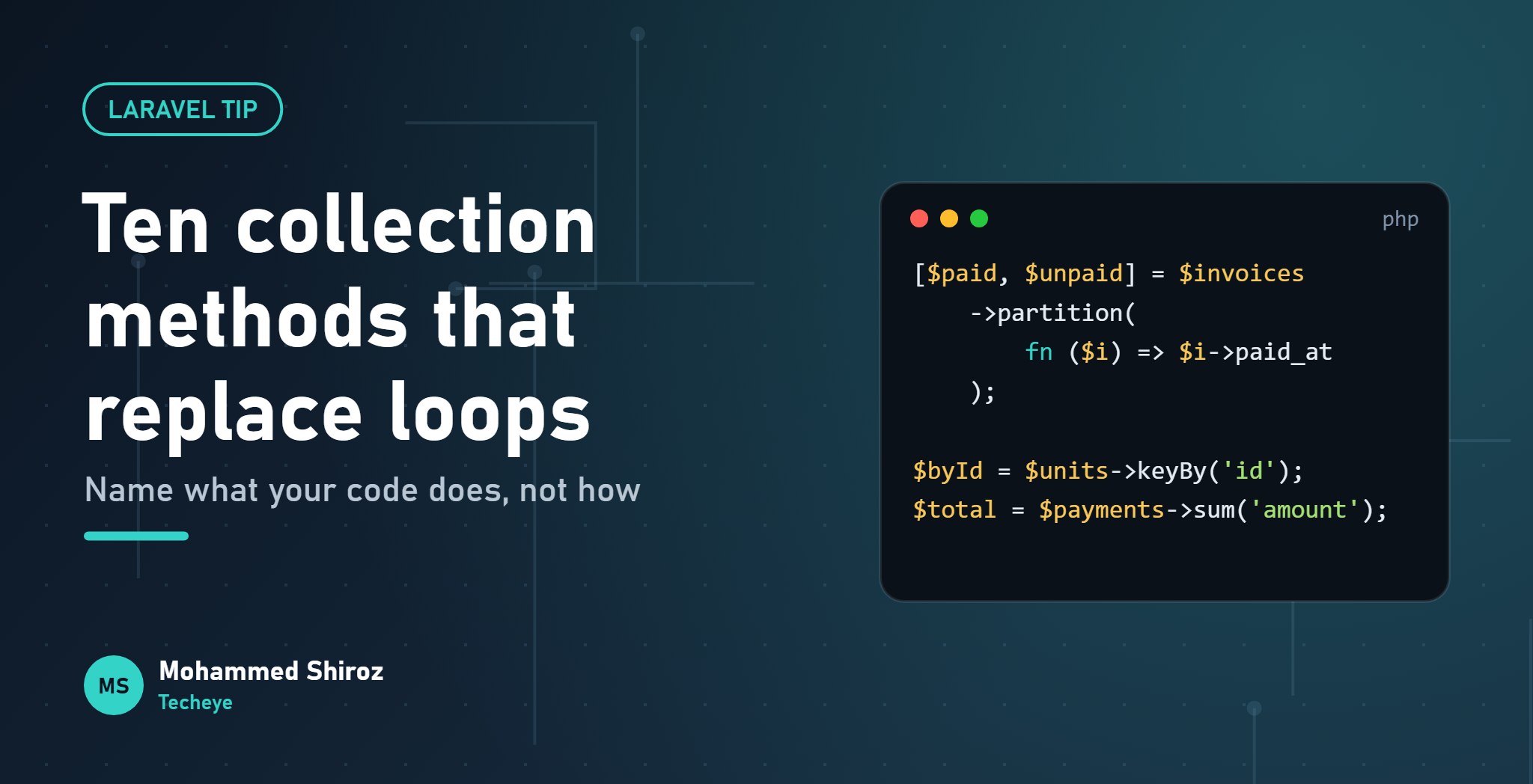
Laravel Collections: Ten Methods That Replace Your foreach Loops
About Post
Open any Laravel codebase that's a few years old and you'll find it: a foreach loop, an empty array declared just above it, three if statements inside, and a variable called $result2 at the bottom.
Nothing is wrong with loops. But most loops in application code are doing one of about ten jobs, and Laravel collections have a named method for each of them. A name tells the next reader what the code is for, not just what it does step by step.
Here are the ten I reach for most, each with the loop it replaces. The examples use a simple rent payments scenario, because that's the kind of data I spend my days with.
1. map: transform every item
The loop version builds a new array by hand:
$labels = [];
foreach ($contracts as $contract) {
    $labels[] = $contract->reference . ' (' . $contract->tenant->name . ')';
}
The collection version says "turn each contract into a label" in one go:
$labels = $contracts->map(
    fn ($c) => "{$c->reference} ({$c->tenant->name})"
);
Watch out: map returns a new collection and leaves the original alone. If you want to change the items in place, that's transform, and I'd avoid it unless you have a good reason.
2. filter: keep only what matters
$overdue = $payments->filter(fn ($p) => $p->due_date->isPast() && ! $p->paid_at);The gotcha that bites everyone once: filter keeps the original keys. If you filter [0, 1, 2] and keep items 0 and 2, you get keys 0 and 2. Send that to json_encode and your frontend receives an object instead of an array. Add ->values() when the keys don't matter.
3. pluck: grab one field
$emails = $tenants->pluck('email');
$namesById = $tenants->pluck('name', 'id'); // [id => name]
The second form is perfect for dropdowns. It also works with dot notation for nested data, like pluck('tenant.email').
4. keyBy: build a lookup table
This one quietly fixes performance problems. Instead of searching a list inside another loop (which is how you get slow, nested O(n²) code), index it once:
$unitsById = $units->keyBy('id');

foreach ($contracts as $contract) {
    $unit = $unitsById->get($contract->unit_id); // instant lookup
}
Yes, there's still a loop. Collections don't ban loops; they remove the boring ones.
5. groupBy: bucket items by a key
$byStatus = $requests->groupBy('status');
// ['open' => Collection, 'in_progress' => Collection, 'done' => Collection]
You can pass a closure too, for example groupBy(fn ($p) => $p->paid_at?->format('Y-m')) to group payments by month. One honest note: if you're grouping thousands of rows just to count them, do it in SQL with GROUP BY instead. Collections work on data that's already in memory.
6. partition: split into two piles at once
The loop version needs two arrays and an if/else. partition returns both piles, and array destructuring makes it read beautifully:
[$paid, $unpaid] = $invoices->partition(fn ($i) => $i->paid_at !== null);Items that pass the test go left, the rest go right. It's one of those methods that, once you know it exists, you see places for it everywhere.
7. sum: totals without a counter variable
$total = $payments->sum('amount');
$late = $payments->sum(fn ($p) => $p->late_fee ?? 0);
Its siblings are just as handy: avg, min, max and count. For money, keep amounts as integers (cents) or use a money library; summing floats is a different article.
8. chunk: process in batches
$tenants->chunk(100)->each(function ($batch) {
    Notification::send($batch, new RentReminder());
});
Important distinction: Collection::chunk splits data you've already loaded. If the problem is loading 50,000 rows into memory in the first place, you want the query builder's chunkById() or lazy() instead, which fetch from the database in batches.
9. when: conditional steps without breaking the chain
$rows = $payments
    ->when($onlyUnpaid, fn ($c) => $c->whereNull('paid_at'))
    ->sortBy('due_date');
No temporary variable, no if block in the middle of your pipeline. Collections also have where, whereIn and whereNull, which behave like their query builder cousins but run in PHP.
10. pipe: hand the whole collection to a function
Every other method here works on items. pipe passes the entire collection to a callback and returns whatever the callback returns:
$summary = $payments->pipe(fn ($c) => [
    'count' => $c->count(),
    'total' => $c->sum('amount'),
    'overdue' => $c->filter->isOverdue()->count(),
]);
That filter->isOverdue() is a higher-order message: shorthand for calling a method on each item. It works with map, each, sum and others too.
Side note for the PHP fans: PHP 8.5, released last month, added a native pipe operator (|>) for chaining plain functions. Different tool, same spirit: data flows left to right, one named step at a time.
The rule I use: if a loop builds a new array, filters, counts, groups or sums, there's probably a collection method with a name for it. If a loop has side effects and complex branching, a plain foreach is often clearer. Don't force it.
When a loop is still the better choice
- Huge datasets. Every collection method creates a new collection. For very large arrays, a chain of five methods means five passes.
LazyCollectionhelps here, and so does doing the work in SQL. - Early exits. If you need to stop at the first match, use
first(fn ...). If the logic is messier than that, a loop withbreakis honest and readable. - Clever chains. A twelve-step chain with nested closures isn't more readable than a loop. If you have to squint, split it into named variables.
Quick reference
| You want to… | Use |
|---|---|
| Transform each item | map |
| Keep some items | filter (+ values) |
| Extract one field | pluck |
| Look items up by ID | keyBy |
| Bucket by a value | groupBy |
| Split into pass/fail | partition |
| Total a field | sum |
| Work in batches | chunk |
| Add a step conditionally | when |
| Summarise the whole thing | pipe |
The full list is long and worth a slow scroll one evening: the Laravel collections documentation has over a hundred methods.
Which collection method do you wish you'd discovered years earlier? For me it's partition, closely followed by keyBy.
01. About Shiroz

Mohammed Shiroz
Hi, I'm Mohammed Shiroz, a software engineer and AI enthusiast from Sri Lanka who turns ideas into intelligent, real-world solutions. With over 9 years of hands-on experience, I currently lead real estate ERP development at Kate Group, a...
02. Latest Posts


03.My Projects






 Uruguay
 Kenya
Kenya
 Kazakhstan
 Bangladesh
 Côte d'Ivoire
 United States
 China
China
 Qatar
Qatar
 United States
 Netherlands
 Republic of Moldova
 United Kingdom
 Belgium
 Sweden
 China
China
 Singapore
Be first to comment it...